

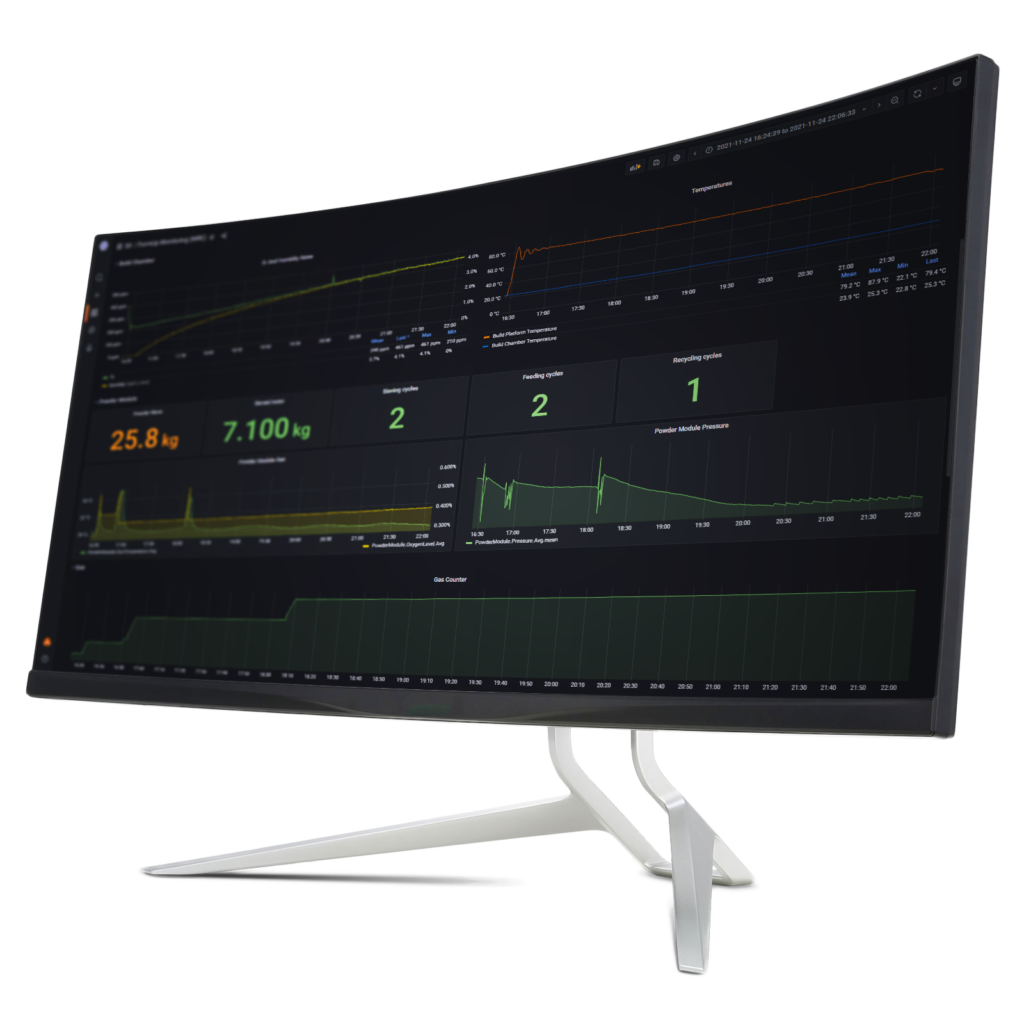
Machine manufacturer AddUp announces the launch of a multi-scale monitoring software that can provide real-time monitoring of what’s happening inside the 3D printer. Named AddUp DashboardsTM, the solution is compatible with all AddUp FormUp Powder Bed Fusion (PBF) and BeAM Directed Energy Deposition (DED) machines.
How does it work ?
On a dashboard view, operators can see how data are collected and displayed for an unlimited number of FormUp and BeAM machines regardless of their physical location. With this summary on an overview home screen, operators can have a birds-eye view of a full production fleet of machines, delivering status and progress at a glance.
Users can see the big picture for the last month or check what happened during last layering cycle for a particular build.
From a practical point of view, the machine manufacturer explains that AddUp DashboardsTM displays data for 80 process parameters including oxygen level, humidity level, state of the lasers, forces measured in all moving components, consumption of powder, state of gas flow and more.
Key Process Parameters are adapted depending on the nature of the machine connected: PBF or DED. This real-time data is refreshed at a rate as quick as 5 seconds. The software solution also tracks data from every build and the historical data is available for viewing with just a simple click. Using this software, users can see a complete history of each machine including basic information like how many builds have been completed all the way down to each individual layer for any given print. This historical data is particularly useful to monitor machine health to keep the machine running at optimal performance, a press release reports.
The AddUp DashboardsTM user interface, which only requires a web browser to be used, offers over 25 data visualization styles that can be customized to meet the needs of specific users. Color schemes and data panels can easily be changed, moved, resized, duplicated, and edited to show whatever information is most important. The software also includes an alerting system with email notification capabilities to single or multiple users, including custom threshold definition. This gives the ability to be informed when a machine status is potentially drifting, enabling users to address a fault before it becomes a problem.
AddUp DashboardsTM receives data through MQTT and OPC-UA connections making the software compatible across Industry 4.0 platforms.
Remember, you can post job opportunities in the AM Industry on 3D ADEPT Media free of charge or look for a job via our job board. Make sure to follow us on our social networks and subscribe to our weekly newsletter : Facebook, Twitter, LinkedIn & Instagram ! If you want to be featured in the next issue of our digital magazine or if you hear a story that needs to be heard, make sure you send it to contact@3dadept.com
THE 3D ADEPT WEEKLY NEWSLETTER
The industry moves fast. Stay ahead.
Every week, the latest additive manufacturing news, in-depth features and real-world applications, straight to your inbox. Plus, be the first to know when a new issue of 3D ADEPT Mag is out.
Free · One email a week · Unsubscribe anytime
Clicking loads our email provider’s sign-up form, including its analytics and Google’s anti-bot protection. You’re only subscribed if you complete the sign-up. Read our privacy policy.