Erik Denlinger, Co-Founder and Chief Engineer at PanOptimization, is in the list of people who believe that “if manufacturers want to print and qualify high-value metal AM parts with confidence, they need physics-based models that help them understand and optimize what will happen before the build begins.”
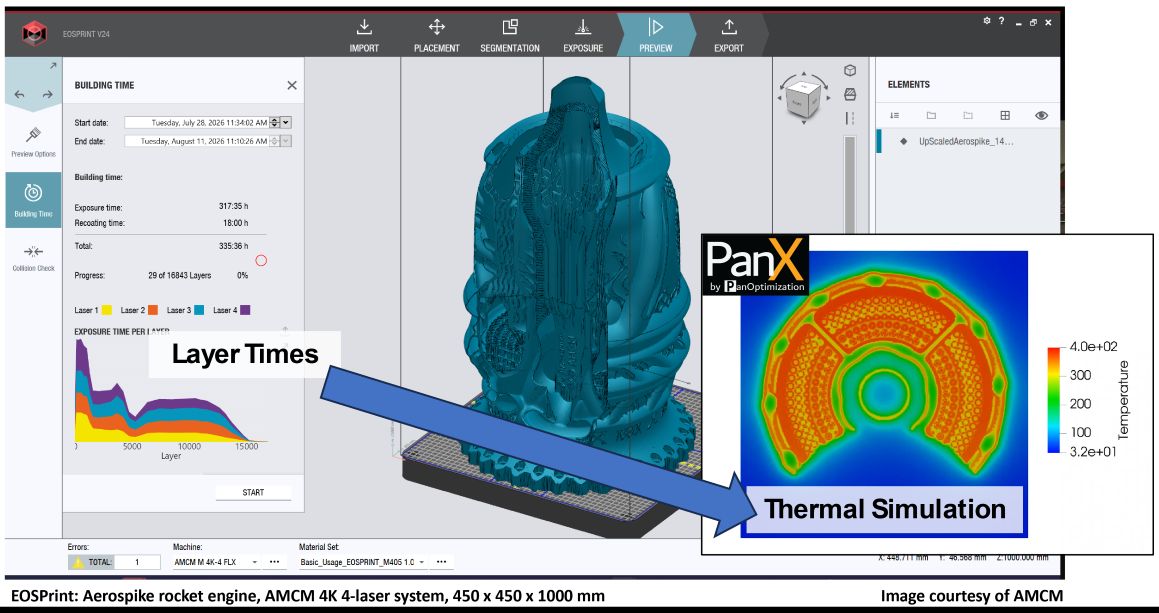
To predict heat buildup and distortion and correct for them while preparing a build, machine manufacturer AMCM has connected EOSPRINT, the EOS build-preparation software its large metal printers run on, with PanOptimization’s PanX simulation software.
PanX is a simulation and optimization platform for metal AM. The platform targets large, geometrically complex components in LPBF and DED, parts where conventional simulation tools reach their limits.
Read more in this issue of 3D ADEPT Mag: To qualify high-value metal 3D printed parts, here is how engineers can know what happens before the build begins
The AMCM case is just an example of how integration can occur. PanX can be used as a stand-alone thermomechanical simulation tool alongside any metal AM system.
The integration into EOSPRINT underscores the importance of thermomechanical simulation to counteract overheating and thermally induced distortion. Such integration helps bring simulation directly into the build preparation workflow.
How exactly does it work?
According to PanOptimization, the integration works by first reading an openjz file from EOSPRINT into PanX and extracting all build setup information, including the geometries, build plate layout, and processing parameters, needed for a simulation.
Additional information not included in the openjz, but still needed for accurate simulation (e.g. processing time per layer) are brought into PanX by use of the EOSPRINT API. This removes redundant and error-prone set-up work, supports turnaround times measured in hours, and makes simulation more accessible to design and manufacturing engineers rather than only dedicated simulation experts.
It also improves model accuracy by incorporating high-fidelity printer-specific information.
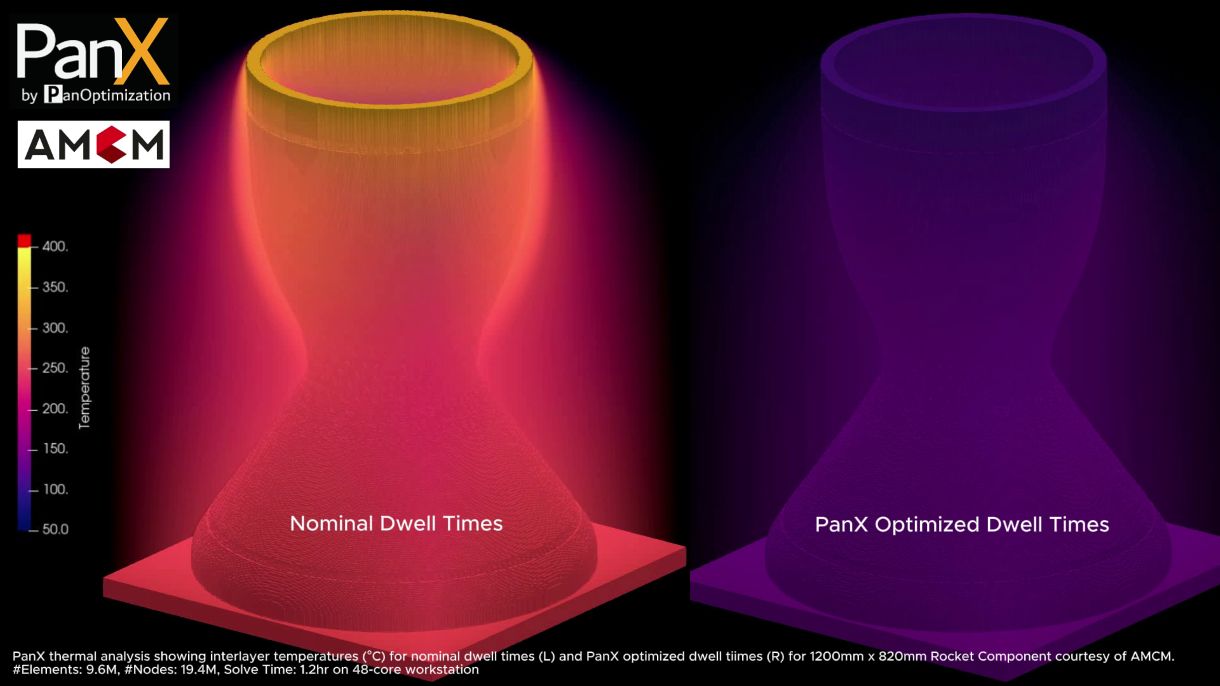
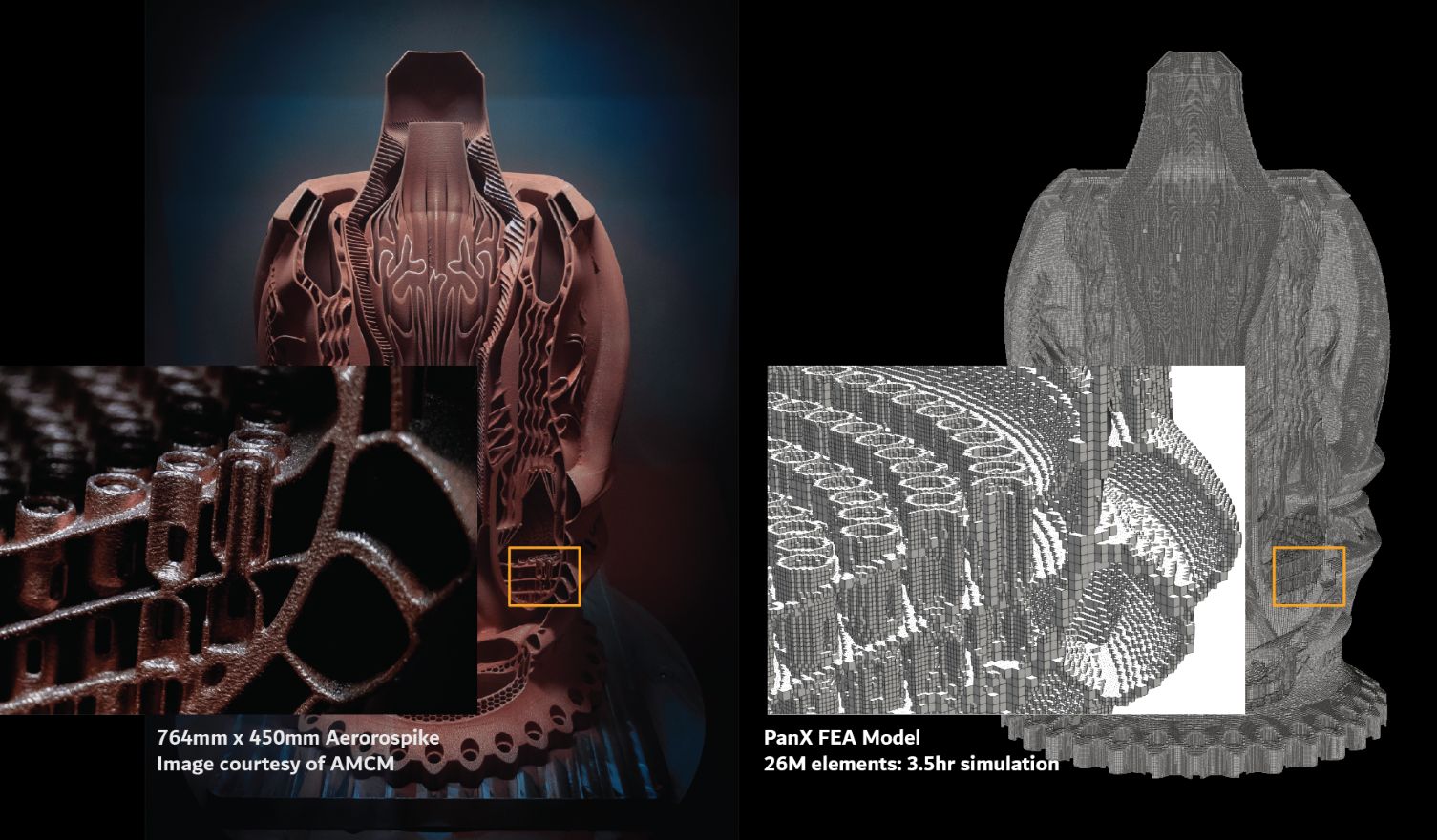 After a simulation is complete, optimized dwell times, compensated geometries, and optimized laser powers (written as a TIFF image stack and corresponding Smart Fusion Replay file) are automatically written back into the openjz file where they can be seamlessly implemented on the printer. The EOSPRINT/PanX integration is beneficial for all EOS users, from those running M290-class systems through to users of the AMCM M 8K.
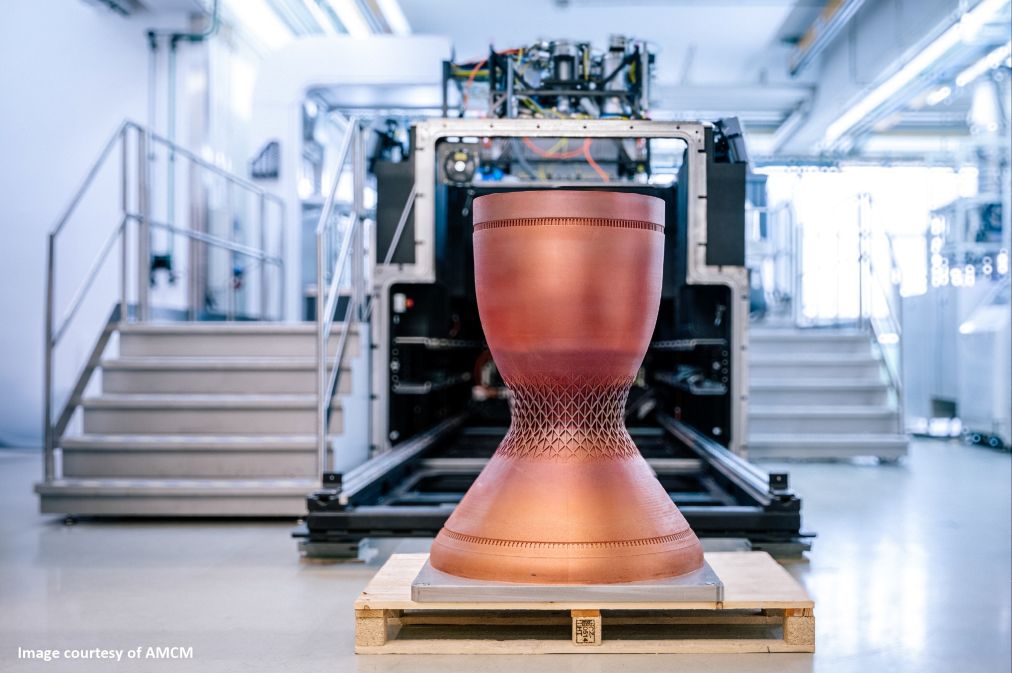
AMCM recently demonstrated these benefits on a large M 8K build, highlighting how local heat accumulation can lead to distortion and dimensional deviations, residual stress and internal defects, reduced part quality, partially sintered powder, and difficult de-powdering. Thermal simulation helps identify hotspots before the build starts, makes critical areas visible, and enables overheating to be addressed before it impacts part quality.
“No amount of density-cube or tensile-bar testing can solve these problems, as they are highly geometry- and thermal-history-dependent,” says Denlinger. “That is why simulation is needed.”
*We curate insights that matter to help you grow in your AM journey. Receive them once a week, straight to your inbox. Subscribe to our weekly newsletter.