At Formnext 2026, Tripo AI highlighted the value of reusable workflows for AI-generated 3D models. For 3D printing users, saving and adapting the process matters as much as generating the model. We tried Agentic Canvas, its new agent-driven workflow tool, to explore this approach. The demo took us from a rough idea to a model closer to production readiness.
First day of Formnext. Frankfurt is grey, cold and rainy. Frankly, the kind of weather that makes you want to stay on your couch with a hot chocolate. Across the halls, hundreds of companies were promising to change the way we produce parts. Among these companies, one that gave me a smile and enough energy to get through the week was Tripo AI. Its yellow was enough to remind anyone walking by that the sun had not completely given up on Frankfurt. Around the booth, 3D-printed characters and figurines showed what AI-generated models look like once they leave the screen.

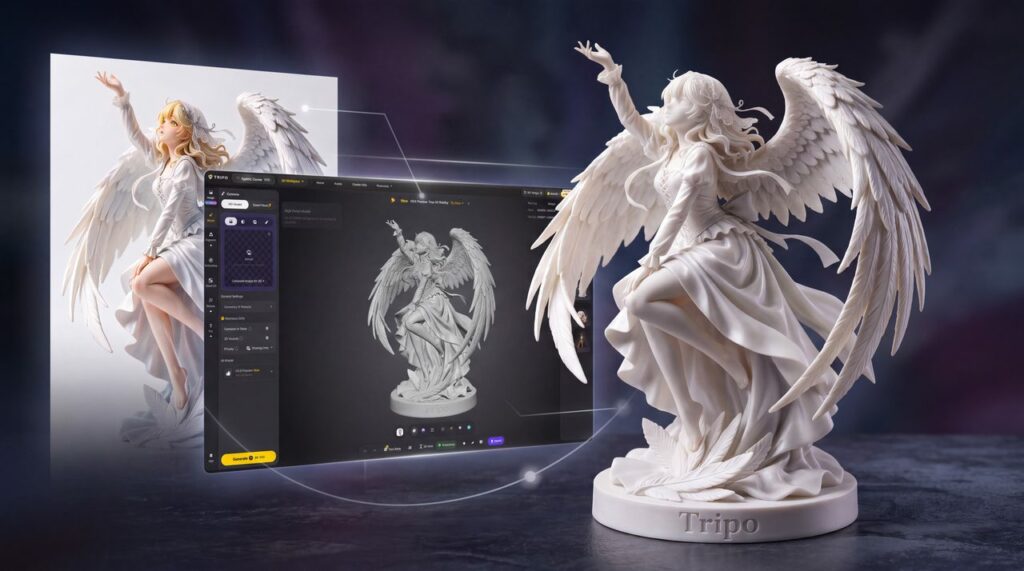
The company came to the show with something that has become increasingly familiar in the technology landscape: AI-powered 3D creation. Simply put, this refers to tools that turn a prompt, a photo or a sketch into a 3D model.
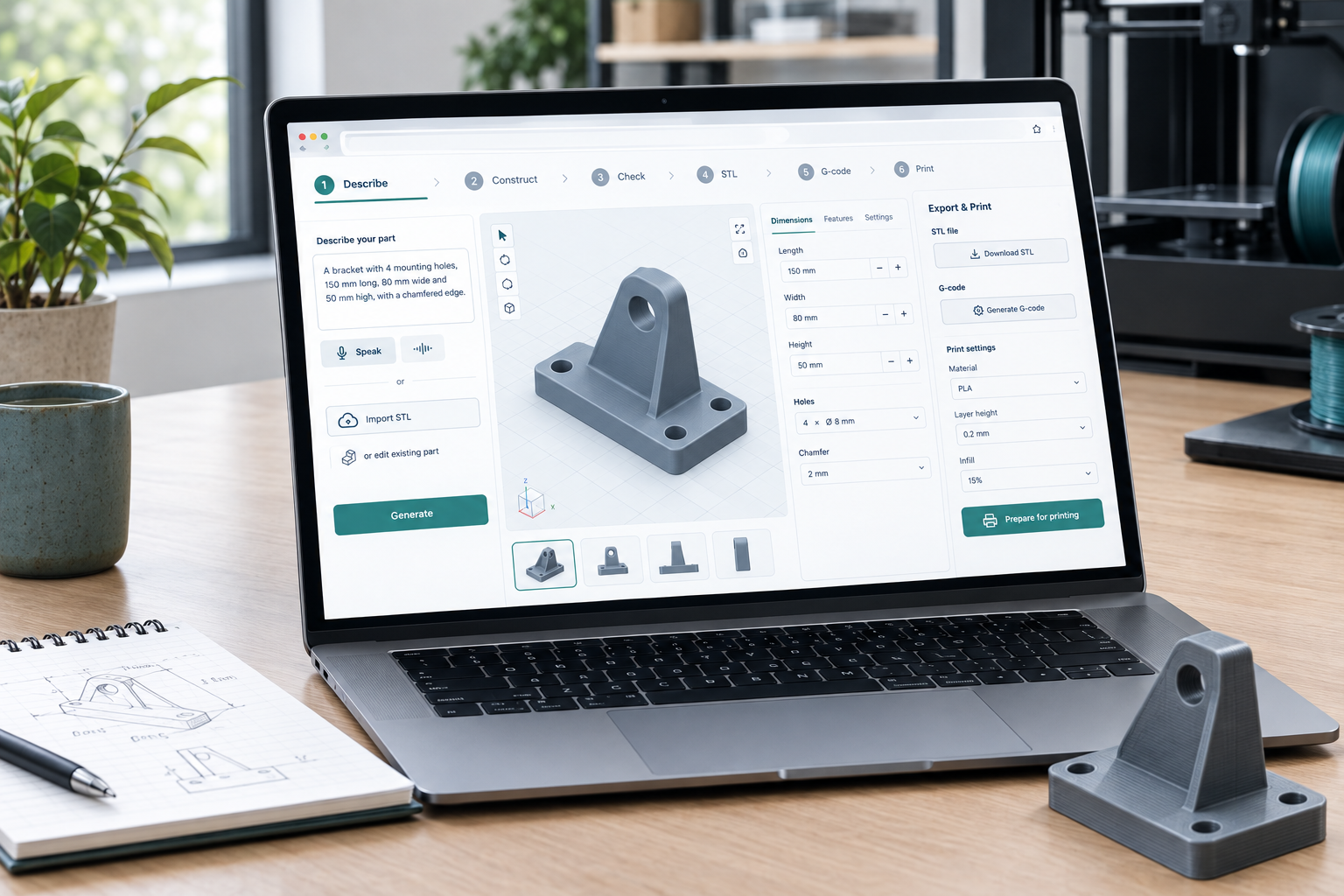
These platforms can speed up part creation for 3D printing users. They are especially useful for people without CAD experience or those seeking to save production time. However, producing a series raises a question about repeatability. Can users apply the same process again to the next product?
While Tripo AI is not a CAD replacement, nor an industrial qualification tool, its approach remains interesting to move closer to production.
What Tripo AI is trying to solve
In my experience, getting a printable model usually requires CAD skills or hours of modeling. Online libraries rarely offer exactly what you need. Existing models often need adjustments, adding another manual step. Users then restart this process for each new product. This is where AI-powered 3D tools could make a difference.
The first opportunity is accessibility. People without advanced modeling skills may be able to turn an idea, image, or sketch into a 3D asset without having to master complex software first.
The second is repeatability. For more experienced users, the opportunity is not simply to generate a model faster, but to avoid rebuilding the same process for every new variation or product in a series.
This is the part Tripo AI wants to improve. It was the first AI 3D generation platform I tried hands-on, and probably not the last. So many solutions emerged in 2026 that they almost warrant a market study. Tripo AI focuses on repeatable workflows. That approach builds on our recent discussion of AI agents and the way software platforms adapt.
The technology behind Tripo AI
Founded in 2023 by scientists specialized in AI and computer graphics, Tripo AI strongly believes that 3D represents “the native form of the world” and an indispensable pathway towards artificial general intelligence.
Following what it calls a 3D-native technical roadmap, the company says it was among the first to develop a proprietary framework for 3D-native representation and the first to launch a 3D-native foundation model with tens of billions of parameters.
Its capabilities are delivered through two channels: Tripo Studio, its creation platform, and Tripo API, for companies looking to integrate the technology into their own tools. Target sectors range from industrial design and manufacturing, 3D printing, and architecture and interior design to games, film and animation, and advertising.
To date, Tripo AI counts:
- tens of millions of creators across nearly 200 countries and regions
- a database of 60 million high-quality 3D assets
- more than 60 papers published at top-tier academic conferences
- and over 50 open-source projects, including TripoSR, TripoSG, TripoSF and UniRig, totaling more than 35,000 GitHub stars.
A closer look at Tripo Studio helps to understand how Tripo AI is tapping into these opportunities.
Tripo Studio, the creation platform
Tripo Studio offers 3D printing users two ways to work: the 3D Workspace and Agentic Canvas, both of them available within the same platform.
The 3D Workspace is designed for individual model creation: You upload an image, convert it into a 3D model and refine the result. The user manages the different operations and decides what needs to happen next.
From a single model to a reusable workflow
Agentic Canvas takes a different approach. Rather than focusing only on the model, it makes the process behind its creation visible, editable and reusable. As the company describes it, Agentic Canvas is “a visible and reusable bridge between an idea and a manufacturable 3D asset, with AI helping users plan, create, inspect and refine the workflow while keeping people in control.”
“Let’s say you create a figurine or a character to 3D print. Next time, you want to use the same process, but you can’t, because you didn’t save your workflow. In Agentic Canvas, you can save the whole workflow from end to end. Next time, you just replace the reference image and rerun the workflow, with one click.”
“Our priority targets are the entertainment and gaming industry, and 3D printing,” Tripo AI’s product team told me, with makers and creators at the forefront.
In practice, the canvas is a node-based space where each step (reference images, image generation, 3D model generation, texturing, inspection, export and so on) appears as a block connected to the next. “The product is the combination of agents and canvas,” the team summarized. 3D printing users can still use the Workspace, “but workflows only exist in Agentic Canvas,” the team added.
When I tried it at their booth, the workflow felt remarkably straightforward. You do not need to know which node to add or which parameter to set. The agent lays out its plan before doing anything, while the canvas makes every step visible, from the first reference image to the resulting model.
Agentic Canvas: what changes for 3D printing users?
With Agentic Canvas, users can either talk to the agent or build their model themselves.
Experienced users can place nodes and set parameters themselves. They already know the steps needed to turn a reference image into a final result. Beginners can instead describe what they want, and the agent builds the workflow for them.
During the demo, the team asked the agent for a character with a bow and arrow, meant for 3D printing. Before doing anything, the agent asked questions: the bow and arrow could be fragile once printed, so how should they be handled? Should the figure have a base to support it? Should the workflow start in high or low quality?
It then proposed a plan: prepare clear reference images of the body, generate front and back views, and create one complete high-detail print flow. At that point, the user can click “continue” or tell the agent what to change.
That exchange indicates how the agent is considering some of the practical constraints that a beginner might otherwise discover only after a failed print.
Control mode or Auto mode: who decides what?
Once the plan is approved, the agent runs it step by step, in one of two modes. In Control mode, it stops after each step and lets you review the outcome before moving on. In Auto mode, it carries on by itself, though not entirely without you.
As the product team explains, the agent just proceeds “with fewer confirmations”. Tripo AI calls the remaining checkpoints “review gates”.
At important moments, for instance before a step that will consume a large number of credits, the agent asks whether it should proceed.
When I tried it at the booth, I chose Control mode: I wanted to see every step and approve it before the next one started. I believe that for a first contact, that is clearly the way to understand what the agent does.
Consistency throughout the processes
Reusability does not necessarily mean that every generated model will have identical geometry or quality. It means that the steps, prompts and parameters can remain consistent while the input changes.
“It’s important for users to stay consistent within the same series. Let’s say you are printing a series of characters. You don’t want to build a workflow for every single character. You just want to reuse the whole workflow,” the product team explains.
Workflows can also be shared with other teams. Tripo AI distinguishes between platform-generated and user-generated content. Its template space offers ready-made workflows built by the company. When I selected one for custom block-style flexible fingers, it appeared on my canvas, ready to run with my own image.
An inspiration space, built around community creations, is also being developed so users can start from other creators’ work. Both are intended to make 3D creators more effective.
3D printing made easier
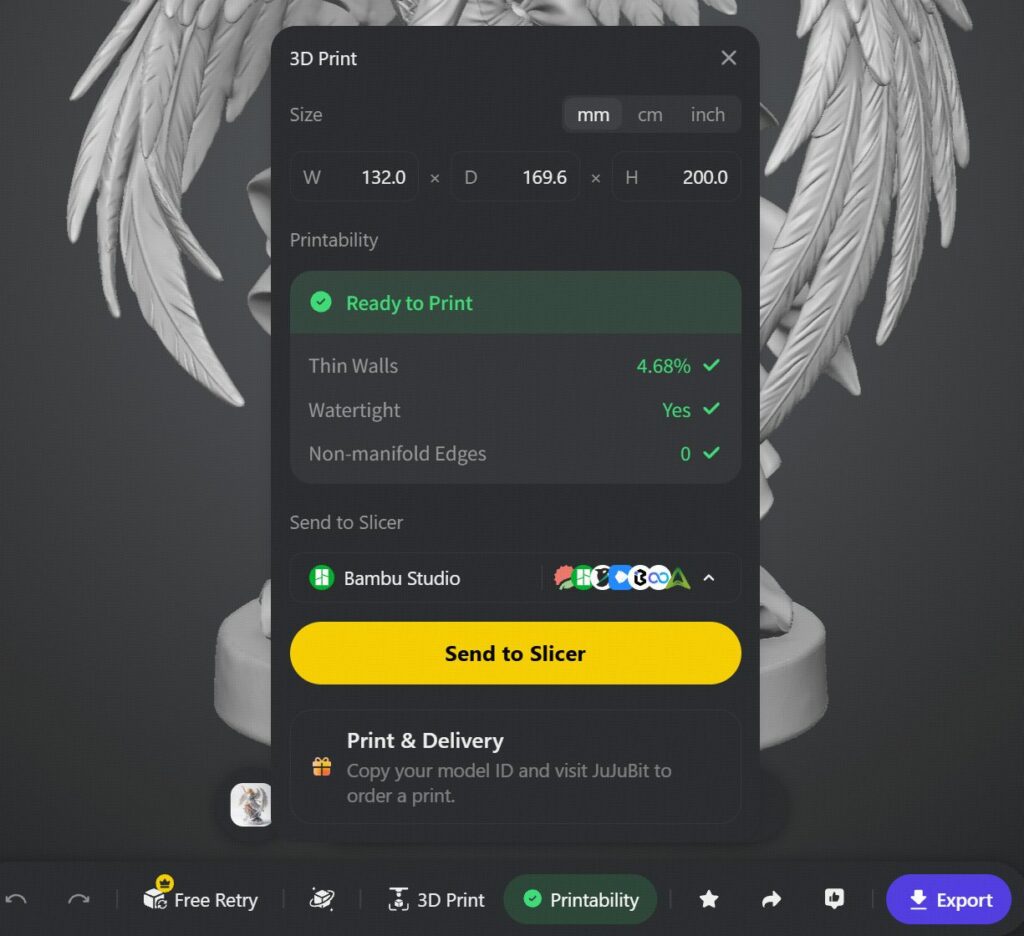
For 3D printing users, the agent acts as a first filter. It aims to catch problems that might otherwise surface only on the build plate.
In the 3D Workspace, users check printability themselves. In Agentic Canvas, they can instead ask the agent to inspect a model through the AI 3D Lab node. Tripo describes this as conversational tools for inspecting and refining specific assets.
Once the model is ready, users can choose “Send to 3D Printer” from the export options in the Viewer, which reduces handoff friction. Tripo is careful not to overpromise here: “Our goal is not to replace slicers or printer-specific validation, but to make the transition into those systems faster and clearer,” the company says.
Potential for jewelry applications
Browsing the models generated on the platform, I saw many that could interest 3D printing users. For desktop 3D printing professionals, the limit is probably their imagination. But if I had to pick an application worth watching closely, it would be jewelry.
There are several reasons for this:
Its organic and intricate geometries are well suited to AI-generated 3D models, while the industry’s focus on customization creates opportunities for reusable workflows across design variations. Because jewelry already relies on digital-to-physical processes such as castable resin printing and investment casting, the path to production is familiar.
Beyond generating a ring or pendant faster, the opportunity lies in establishing a repeatable workflow that can produce multiple design variations. However, production requirements such as stone settings, sizing, and casting allowances still require a jeweler’s expertise.
What makes Tripo AI stand out?
Since I am about to try another platform soon, I directly asked the product team what makes Tripo AI stand out and the product team’s answer started with their core technology:
“First of all, we have the best algorithm for generative 3D. The algorithm itself allows us to make better quality 3D models than others. That’s our core. We also have different approaches for different levels of users. Beginners can just talk to the agent; they don’t have to understand every parameter. Intermediate and advanced users can add the nodes manually and set up the parameters. So, our product is friendly for both.”
Moreover, I believe two other points deserve attention for our industry:
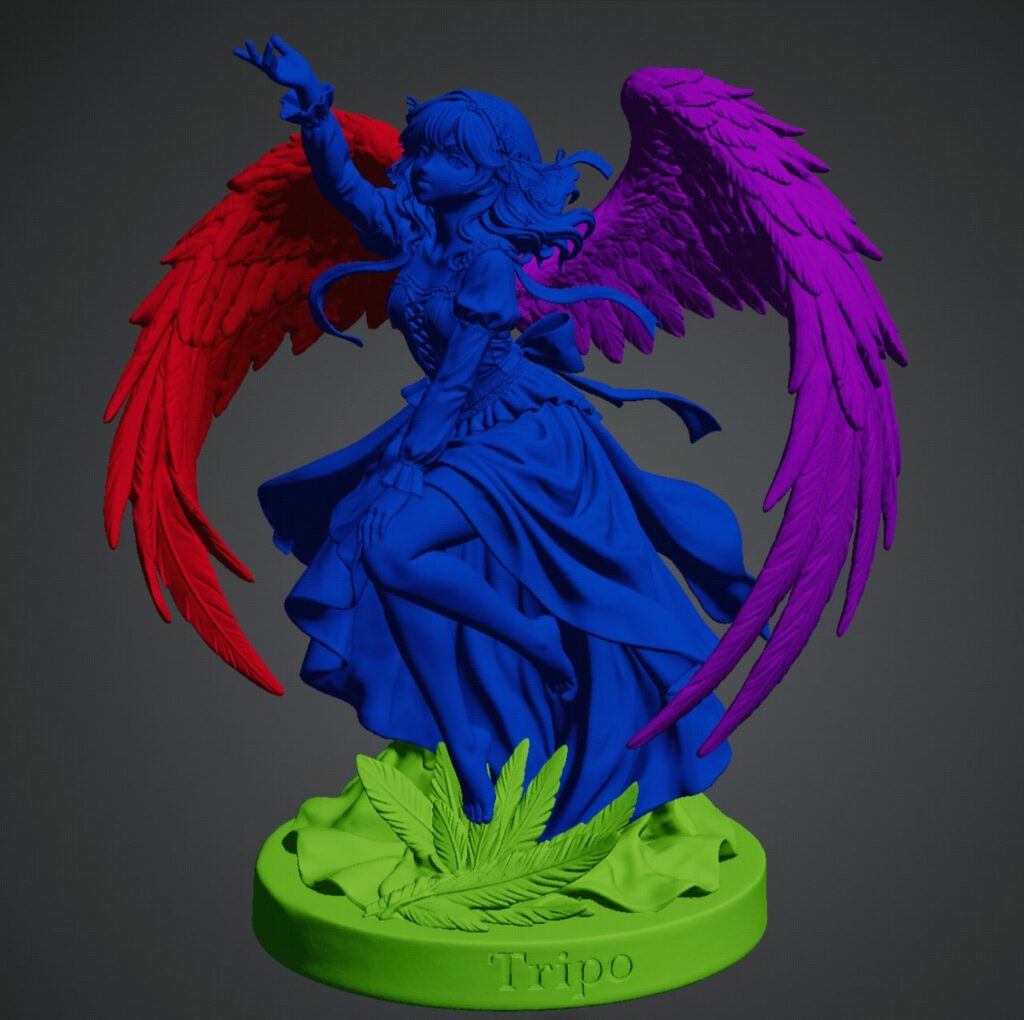
- The ecosystem. Tripo AI works with hardware, software and service partners, and follows new printer capabilities to guide workflow development. “We pay close attention to the updates of 3D printers and 3D printing materials, and we will have many workflows specific to such updates,” Tripo AI’s product team said, citing the launch of multi-color printers from Bambu Lab. When a manufacturer introduces a stronger multi-color or multi-material system for instance, the company looks at workflows for color-ID preparation, part segmentation, material assignment and preview.
- Thanks to workflow accumulation, each useful pattern identified by creators, enthusiasts, industrial users or partners can become a reusable workflow. This means the platform can naturally improve through accumulated process knowledge.
Tripo AI brings a clearer, faster and more repeatable path from an idea to a printable model. For 3D printing users, the question now is how far print-readiness checks, segmentation and material-specific workflows will go, and how well they will connect with the tools that already validate parts. The best way to find out is to try it.
Try it yourself
Anyone who wants to try Tripo can get 500 bonus credits and up to 60% off their first subscription through this link from 3D ADEPT. No coupon code is needed. After you click, a window opens with a gift offer. Select “Claim My Gift” and create a free account using email or Google login to have the credits and discount applied automatically. The gift must be claimed within 24 hours of opening the link. The discount applies to the first subscription, even if you sign up later.
Anyone who closes the window or misses the deadline can still claim the offer later. To do so, sign in to Tripo Studio, click the profile picture, select “Redeem Code” and enter the code O7QAXO. The offer is valid through December 31, 2026.
THE 3D ADEPT WEEKLY NEWSLETTER
The industry moves fast. Stay ahead.
Every week, the latest additive manufacturing news, in-depth features and real-world applications, straight to your inbox. Plus, be the first to know when a new issue of 3D ADEPT Mag is out.
Free · One email a week · Unsubscribe anytime
Clicking loads our email provider’s sign-up form, including its analytics and Google’s anti-bot protection. You’re only subscribed if you complete the sign-up. Read our privacy policy.