

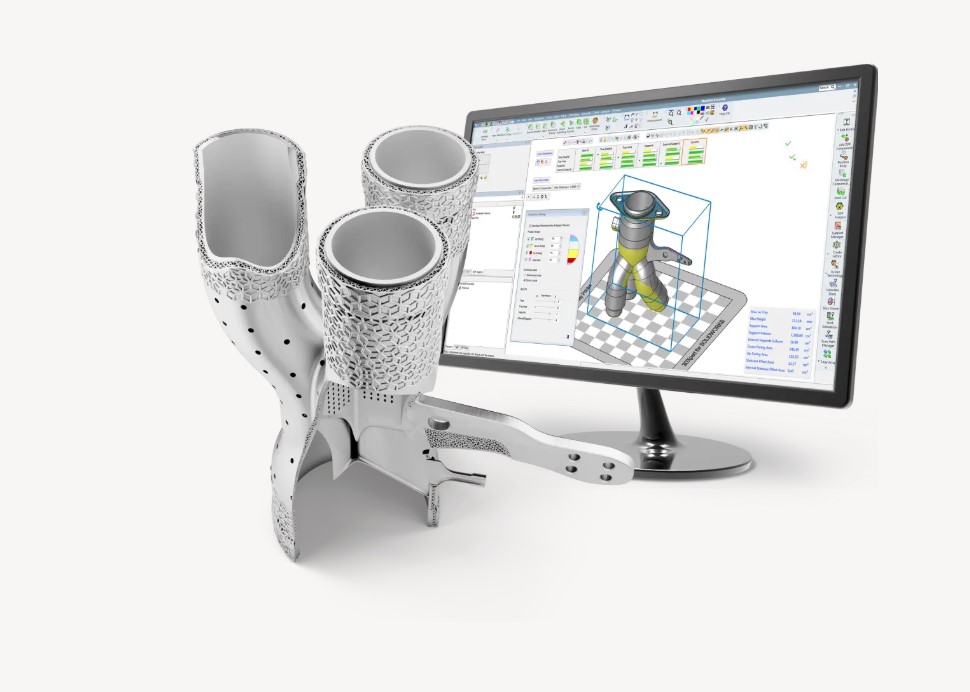
I have always compared a 3D printing file format to a language. But the language describing a model must be distinguished from the one delivering instructions to a machine. Which formats serve each stage, and what are their strengths and limitations? This dossier examines the main reference points.
Revisiting these fundamentals is useful both for people new to additive manufacturing and for experienced users improving a preparation workflow. A file format alone guarantees neither part accuracy nor manufacturability.
Preparation generally starts with a model created in CAD or derived from a scan. Slicing software then prepares layers and instructions for the selected machine and process. A file describing geometry is therefore not necessarily a file the printer can execute directly.
Formats encountered include STL, OBJ, AMF, 3MF, G-code, X3G, VRML, X3D, FBX, PLY, STEP and IGES. They serve different purposes: exchanging models, describing scenes, preparing builds or controlling manufacturing.
Key formats for exchanging a model
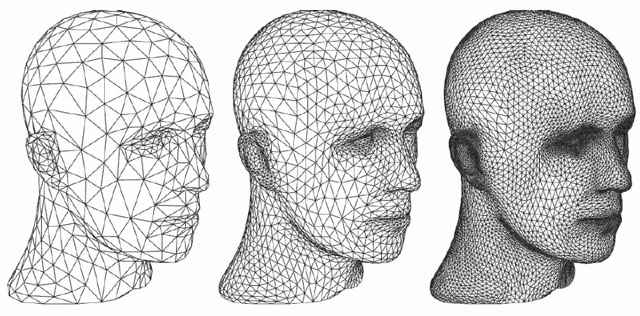
STL, originating in stereolithography and also called Standard Tessellation Language, represents a surface using triangles. Support is widespread, but not universal. Its basic definition does not standardise units, colours or materials. Tessellation density affects curved-surface fidelity and file size. The STL format description explains these characteristics.

OBJ originated in Wavefront’s Advanced Visualizer. It describes geometry and texture coordinates; materials and texture images may rely on associated files, including MTL. These resources must accompany the model, and their interpretation should be checked on import. Colours in a project are not guaranteed to survive every slicer. See the OBJ and MTL descriptions.
AMF, meaning Additive Manufacturing File Format, is an XML format that can describe geometry, materials, colours and textures. Version 1.2 is covered by ISO/ASTM 52915:2020: it was therefore not newly created when this dossier appeared in 2024. A richer format does not ensure that every application uses all its properties.
3MF means 3D Manufacturing Format. Its open specification defines a ZIP package for model geometry, units and resources. Additional capabilities depend on supported extensions. A project may also contain application-specific settings; it does not automatically constitute machine instructions. An open specification does not make every application using it open-source software.
Comparing strengths and limitations
| Format | Strengths | Limits to check |
|---|---|---|
| STL | Simple mesh format with broad support. | No standard units or materials; curved-surface fidelity depends on tessellation. |
| OBJ | Geometry and texture coordinates; materials through associated files. | Include required resources; software may ignore materials or textures. |
| AMF | Geometry, colours and materials in a standardised XML format. | Check that downstream software supports the properties used. |
| 3MF | ZIP package combining geometry, units and resources; open specification. | Extensions and application-specific settings are not universally supported. |
Other formats for other stages

A model from another field can sometimes be adapted for 3D printing. That does not make every file printable: geometry, scale, wall thickness and any required repairs must be examined in preparation software.
G-code: in systems that use it, this language delivers commands such as movement and temperature control. The Marlin command reference provides examples. A file must match the machine, firmware and manufacturing profile; it is not a universal 3D model. Available output formats, including X3G on some systems, should be checked with the manufacturer.
FBX is a 3D scene exchange format associated with Autodesk. It can carry geometry, animation, cameras and lights, as illustrated by Autodesk’s import documentation. VRML and X3D also describe 3D scenes, including interactive ones; X3D extends VRML’s capabilities. These uses go beyond visual rendering and do not, by themselves, provide printing instructions.
PLY, or Polygon File Format, is commonly used for 3D scanning data. It can describe vertices, faces and associated properties such as colours. The Stanford 3D Scanning Repository illustrates its use. A point cloud or scanned mesh may need reconstruction or repair before manufacturing.
STEP and IGES are CAD exchange formats. They carry geometric representations beyond triangular meshes, including curves and surfaces. STEP can also carry product data. Their value depends on the software workflow: some tools accept them directly and then tessellate the geometry to prepare a print.
Choosing a format for the project
A useful distinction separates files describing a model from files containing manufacturing instructions. It does not cover every case: a project format can combine several data types. An exchange export does not necessarily preserve the source application’s complete design history.
Which information must be preserved? Geometry, units, colours, textures, assemblies and settings serve different needs. For a colour part, OBJ with its resources or a compatible 3MF may be suitable; the manufacturing workflow must actually use that information.
What do the tools support? Check software and manufacturer documentation for accepted formats, versions and extensions. For example, PrusaSlicer documents that OBJ textures and materials are ignored and STEP is triangulated on import. Verify compatibility for the software version actually in use.
Did the transfer preserve the model? After import, check dimensions and units, linked resources and mesh integrity, then inspect the manufacturing preview. The best format preserves the information needed at the next stage of the project.
This dossier first appeared in the May/June 2024 edition of 3D ADEPT Mag. Compatibility depends on software versions.
THE 3D ADEPT WEEKLY NEWSLETTER
The industry moves fast. Stay ahead.
Every week, the latest additive manufacturing news, in-depth features and real-world applications, straight to your inbox. Plus, be the first to know when a new issue of 3D ADEPT Mag is out.
Free · One email a week · Unsubscribe anytime
Clicking loads our email provider’s sign-up form, including its analytics and Google’s anti-bot protection. You’re only subscribed if you complete the sign-up. Read our privacy policy.